


Epson ET-2710 Reset Guide: Fix Ink Pad Errors
Discover the easiest way to reset the waste ink pad on your Epson ET-2710. Clear maintenance errors and start printing again with our tutorial.
 Permanentemente activo 1/PC
✓ Reset 100% del contador
✓ Transferencia de instalación dos veces al año
✓ Envío automático en 20 Segundos
✓ Soporte en línea
✓ Tutorial de instalación
✓ Garantía ilimitada
$10 USD

Reset Impresora Epson ET-2710
Uso ilimitado 1 PC
✓ Reset 100% del contador
✓ Multiple printers of this model
✓ Envío automático en 20 Segundos
✓ Soporte en línea
✓ Tutorial de instalación
✓ Garantía ilimitada
$10 USD
Finalización
Total:
$10 USD/1PC
Seleccione uno de los métodos de pago:
 Paypal
  PayPro Global
 Estado del servidor de entrega de claves
Clave enviada en 10 segundos
Entrega manual en horario laboral
Activo durante 30 días ✓ Reset 100% del contador
✓ Varias impresoras de este modelo
✓ Envío automático 24 horas
✓ Soporte en línea
✓ Tutorial de instalación
✓ Garantía de 30 días
$2.5 USD
Reset Impresora Epson ET-2710
Activo durante 30 días
✓ Reset 100% del contador de tinta residual
✓ Múltiples impresoras de este modelo
✓ Envío automático en 20 segundos
✓ Soporte en línea
✓ Tutorial de instalación
✓ Garantía de 30 días
$2.5 USD
Finalización
Total:
$2.5 USD/1PC
Seleccione uno de los métodos de pago:
Estado del servidor
Envío automático en 10 segundos
Envío manual en horario comercial
 Claves para varios modelos
✓ Choose your Models
✓ Todas las impresoras Epson disponibles
✓ Paquetes con 70% de descuento
✓ Soporte en línea
✓ Tutorial de instalación
✓ Actívalo cuando quieras
✓ Perfecto para asistencia
(En la empresa o domicilio del cliente)
Envío
Entrega automática en 10 segundos todos los días de la semana, las 24 horas del día
Garantía
Garantía total del producto, recibe tu producto o te devolvemos tu dinero
Windows
Compatible con todos los Windows - 7 - 8 - 10 - 11
Cómo hacer el reset de almohadilla de tinta de una impresora Epson ET2500: Video Tutorial

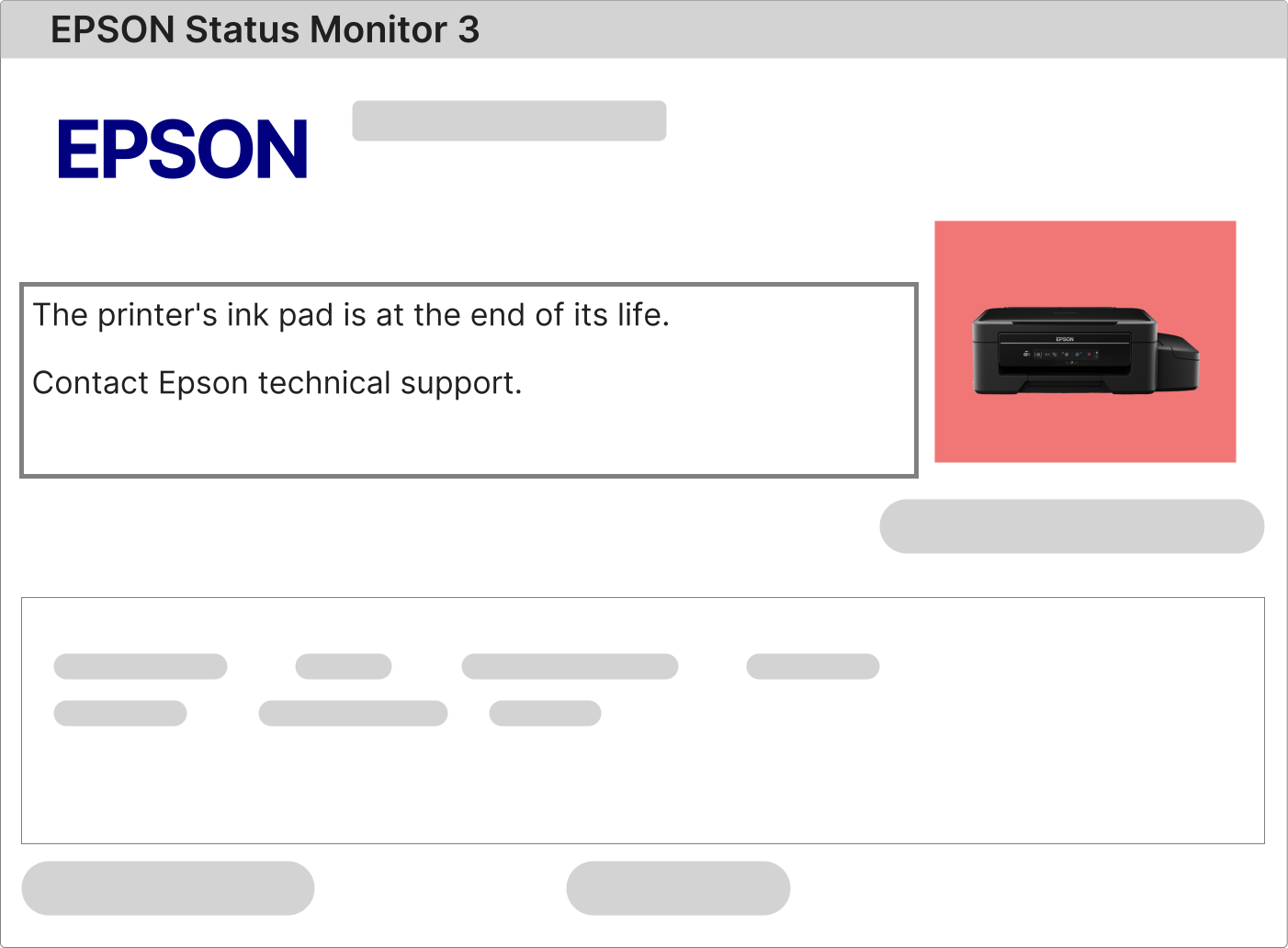
The Reset Epson EcoTank ET-2710 is necessary when the printer shows warning messages such as “Ink Pad is at the End of its Service Life”, “Service Required”, or “A Printer Component Has Reached the End of Its Life”. These alerts are generated by an internal protection system designed by Epson to prevent ink overflow and safeguard the internal electronics of the Epson EcoTank ET-2710.
Why does the Epson EcoTank ET-2710 block printing and flash all lights?
When all indicator lights on the Epson EcoTank ET-2710 start blinking at the same time, the printer has entered a safety lock mode. This condition is usually triggered when the internal waste ink pad counter reaches its preset limit defined by Epson during manufacturing.
1 – Send any print job to the Epson EcoTank ET-2710 and wait for the system response.
2 – The Epson Status Monitor 3 software should automatically display a warning message explaining the reason for the printer lock.
3 – If the message mentions waste ink pad, service life exceeded, internal counter, or maintenance required, this confirms the need for the Reset Epson EcoTank ET-2710.
4 – If no message appears, download and install the official Epson EcoTank ET-2710 drivers from Epson.com, restart your computer, and repeat the test.
How to Reset the Waste Ink Counter on Epson EcoTank ET-2710
The reset procedure for the Epson EcoTank ET-2710 is simple, safe, and does not require technical expertise. You only need a Windows computer, an active internet connection, and the printer powered on and connected via USB cable.
Epson EcoTank printers use a dedicated service utility to clear the internal waste ink pad counter. This utility is commonly referred to as the Reset Epson ET-2710 software.
1 – Download the reset software using the secure link provided after purchase.
2 – Activate the program with the exclusive activation key sent to your email address.
3 – Access the detailed step-by-step video tutorial available on the same download page and follow all instructions carefully.
4 – Once the reset is completed, turn off the Epson EcoTank ET-2710, wait a few seconds, and turn it back on to finalize the process.
What Is the Waste Ink Pad Inside the Epson EcoTank ET-2710?
The Epson EcoTank ET-2710 contains an internal waste ink absorption system known as the waste ink pad.
Each time the printer performs printhead cleaning, initialization, or maintenance routines, excess ink is redirected into this internal absorber.
Over time, the printer calculates the amount of ink collected in the pad. Once the predefined safety limit is reached, the Epson EcoTank ET-2710 automatically stops functioning to prevent ink leakage and potential damage to internal components.
To fully resolve this condition, Epson recommends:
• Cleaning or replacing the waste ink pads, or installing an external ink discharge system.
• Performing the Reset Epson EcoTank ET-2710 to clear the internal counter and unlock the printer.
After payment confirmation, you will receive an email similar to the example below.

This email includes your activation key, the official download link for the Reset Epson EcoTank ET-2710 software, and access to the complete video tutorial.
Follow the instructions carefully to complete the reset safely and restore full printer functionality.
Reset Epson EcoTank ET-2710: Free Tools vs Licensed Software