


How to Reset Epson ET-4700 Maintenance Errors
Learn how to perform a full reset on your Epson ET-4700 printer. Clear service required lights and restore factory settings with this tutorial.
 Permanently active
✓ Reset 100% of the counter
✓ Installation transfer twice a year
✓ Automatic delivery in 20 Seconds
✓ Permanently Active 1 PC
✓ Installation tutorial
✓ Total Life-Time guarantee
$10 USD

Epson ET-4700 Printer Reset
Active for 30 days
✓ 100% waste ink counter reset
✓ Multiple printers of this model
✓ Automatic delivery in 20 seconds
✓ Online support
✓ Installation tutorial
✓ 30 day warranty
$10 USD
Checkout
Total:
$10 USD/1PC
Select one of the payment methods:
 PayPal
 PayPro Global
Server Status
Automatic delivery in 10 seconds
Manual delivery during business hours
Active for 30 days✓ Reset 100% of the counter
✓ Several printers of this model
✓ Automatic delivery in 20 Seconds
✓ Permanently Active 1 PC
✓ Installation tutorial
✓ 30-day warranty
$2.5 USD
Epson ET-4700 Printer Reset
Active for 30 days
✓ 100% waste ink counter reset
✓ Multiple printers of this model
✓ Automatic delivery in 20 seconds
✓ Online support
✓ Installation tutorial
✓ 30 day warranty
$2.5 USD
Checkout
Total:
$2.5 USD/1PC
Select one of the payment methods:
Server Status
Automatic delivery in 10 seconds
Manual delivery during business hours
 Keys for multiple models
✓ Choose your Models
✓ All Epson printers available
✓ Packages with 70% discount
✓ Online support
✓ Installation tutorial
✓ Activate it whenever you want
✓ Perfect for assistance
(At the client's company or address)
Shipment
Automatic delivery in 10 seconds every day of the week, 24 hours a day
Warranty
Full product warranty, receive your product or your money back
Windows
Compatible with all Windows - 7 - 8 - 10 - 11
The Reset Epson EcoTank ET-4700 is required when the printer shows warnings such as “Ink Pad is at the End of its Service Life” or “A Printer Component Has Reached the End of its Life.” These alerts are generated by Epson’s internal protection system, designed to prevent excess waste ink from overflowing and to protect the internal electronic and mechanical components of the Epson EcoTank ET-4700 from serious damage.
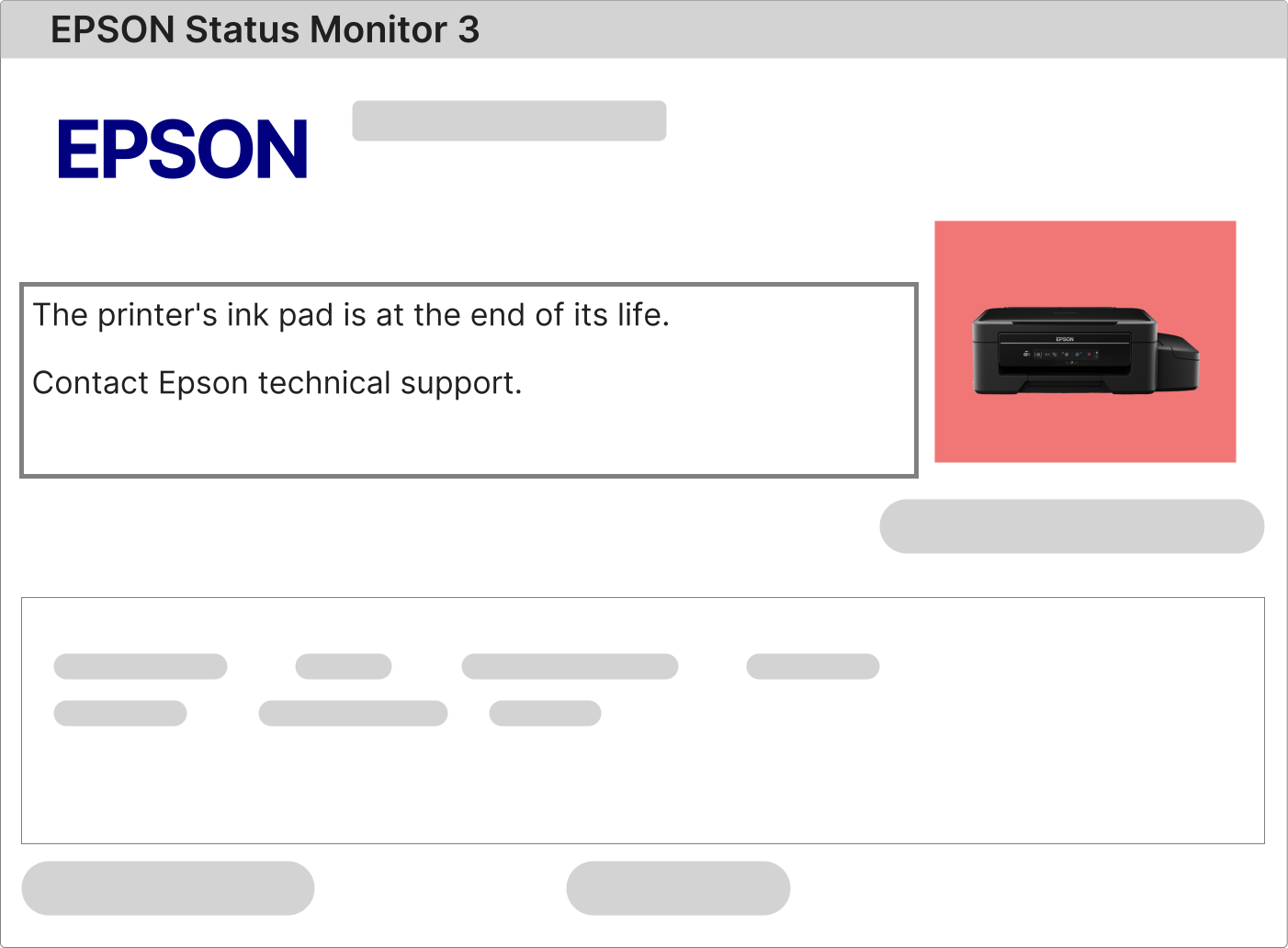
What should you do when all lights on the Epson EcoTank ET-4700 keep flashing?
When all indicator lights on the Epson EcoTank ET-4700 begin flashing at the same time, the printer has entered a protection mode. In most cases, this condition is caused by the internal waste ink counter reaching its programmed limit. To accurately identify the problem, Epson recommends checking the error details using the official Epson Status Monitor 3 software.
1 – Send any print command to the Epson EcoTank ET-4700 and observe the message displayed by Epson Status Monitor 3 on your computer screen.
2 – If the message mentions waste ink pad, internal counter overflow, maintenance required, or end-of-service-life notification, this confirms the need to perform the Reset Epson EcoTank ET-4700.
3 – If no warning message appears, the printer drivers may not be correctly installed. Download and install the official Epson EcoTank ET-4700 drivers directly from Epson.com, restart your computer, and repeat the print test.
How to Reset the Waste Ink Pad Counter on Epson EcoTank ET-4700
The reset process for the Epson EcoTank ET-4700 is safe, reliable, and easy to perform when the correct procedure is followed. No advanced technical knowledge is required. You only need a Windows computer with internet access, the printer powered on, and connected via a USB cable.
Epson printers, including the Epson EcoTank ET-4700, use a dedicated service utility to reset the internal waste ink pad counter. This program is commonly referred to as the Reset Epson ET-4700 software.
1 – Download the reset software using the secure link sent to the email address provided during the purchase process.
2 – Activate the software using the unique activation key included in the same email, located below the download button and tutorial instructions.
3 – A complete step-by-step video tutorial is available on the same page. Follow all instructions exactly as shown.
4 – After the reset process is completed, turn off the Epson EcoTank ET-4700, wait a few seconds, and turn it back on. The printer will be fully unlocked and ready for normal operation.
What Is the Ink Pad Inside the Epson EcoTank ET-4700?
Inside the Epson EcoTank ET-4700 there is an internal waste ink absorption system, commonly known as the ink pad or waste ink absorber.
Each time the printer is powered on, it performs automatic initialization and printhead cleaning routines. During these processes, excess ink is flushed into the internal ink pad.
In addition, normal printing operations periodically trigger maintenance cycles that also send residual ink into the waste ink absorber.
Once the ink pad reaches its calculated absorption limit, the Epson EcoTank ET-4700 automatically locks to prevent ink leakage that could damage internal circuits and mechanical components.
To fully resolve this issue, two steps are required:
• Clean or replace the waste ink pads, or install an external ink drainage system (dispenser).
• Perform the Reset Epson EcoTank ET-4700 to clear the internal waste ink counter responsible for the printer lock.
After payment approval, you will receive an email similar to the example below.

This email contains your activation key, the official download link for the Reset Epson EcoTank ET-4700 software, and access to a complete video tutorial on the same page.
Simply open the download link and carefully follow the instructions to complete the installation and reset process safely.
Reset Epson EcoTank ET-4700: Free Software vs Licensed Software