


Technical Adjustment Application to Reset Epson Pro WF-3723 Real
Obtain this advanced maintenance software for your Epson WorkForce Pro WF-3723. Our solution eliminates software blocks and optimizes print speed.
 Permanently active
✓ Reset 100% of the counter
✓ Installation transfer twice a year
✓ Automatic delivery in 20 Seconds
✓ Permanently Active 1 PC
✓ Installation tutorial
✓ Total Life-Time guarantee
$10 USD
Epson WF-3723 Printer Reset
permanently active
✓ 100% waste ink counter reset
✓ Multiple printers of this model
✓ Automatic delivery in 20 seconds
✓ Online support
✓ Installation tutorial
✓ Unlimited warranty
$10 USD
Checkout
Total:
$10 USD/1PC
Select one of the payment methods:
 PayPal
 PayPro Global
Server Status
Automatic delivery in 10 seconds
Manual delivery during business hours
 Active for 30 days
✓ Reset 100% of the counter
✓ Several printers of this model
✓ Automatic delivery in 20 Seconds
✓ Permanently Active 1 PC
✓ Installation tutorial
✓ 30-day warranty
$2.5 USD
Epson WF-3723 Printer Reset
Active for 30 days
✓ 100% waste ink counter reset
✓ Multiple printers of this model
✓ Automatic delivery in 20 seconds
✓ Online support
✓ Installation tutorial
✓ 30 day warranty
$2.5 USD
Checkout
Total:
$2.5 USD/1PC
Select one of the payment methods:
Server Status
Automatic delivery in 10 seconds
Manual delivery during business hours
 Keys for multiple models
✓ Choose your Models
✓ All Epson printers available
✓ Packages with 70% discount
✓ Online support
✓ Installation tutorial
✓ Activate it whenever you want
✓ Perfect for assistance
(At the client's company or address)
Shipment
Automatic delivery in 10 seconds every day of the week, 24 hours a day
Warranty
Full product warranty, receive your product or your money back
Windows
Compatible with all Windows - 7 - 8 - 10 - 11
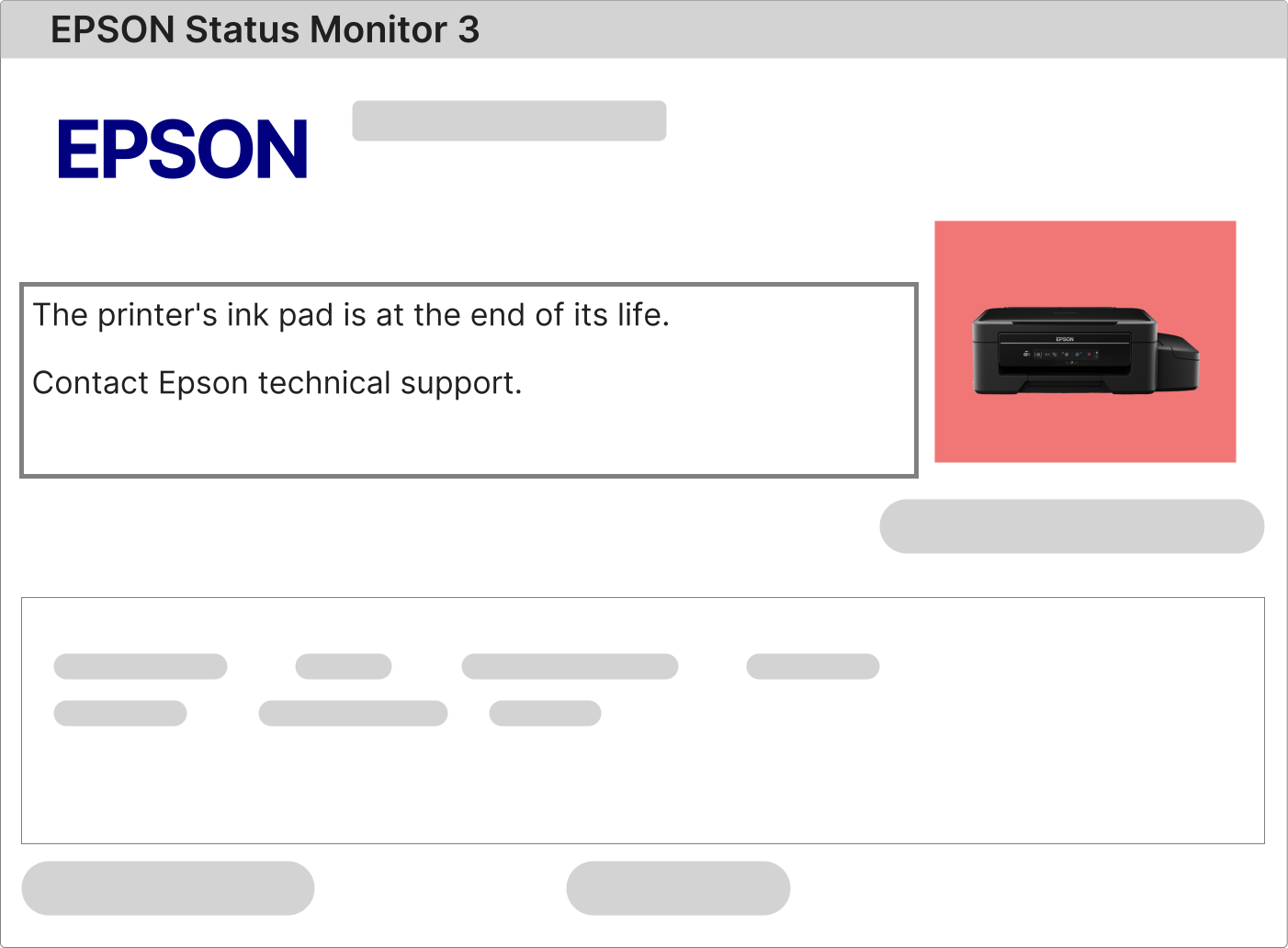
The Epson WorkForce Pro WF-3723 Reset becomes essential when this professional multifunction printer displays critical alerts such as "The ink pad has reached the end of its service life" or "A printer component has reached the end of its usable life." These warning notifications are integral components of the sophisticated protection system engineered by Epson specifically to prevent ink leakage and safeguard the sensitive internal mechanisms of your Epson WorkForce Pro WF-3723 printer.
What immediate action is required when all control panel lights on the Epson WorkForce Pro WF-3723 are flashing simultaneously?
When every indicator light on the front panel of your Epson WorkForce Pro WF-3723 begins blinking in perfect unison without interruption, this almost invariably signals a protective lockout state triggered by the internal waste ink counter reaching its maximum pre-programmed capacity. To accurately isolate and identify the precise error code, it is absolutely essential to consult the diagnostic message displayed within the Epson Status Monitor utility on your connected computer.
1 – Submit any standard print job to your Epson WorkForce Pro WF-3723 and carefully observe the detailed error description that appears in the Epson Status Monitor 3 interface.
2 – If the on-screen notification explicitly references terminology including ink absorber pad, internal service counter, maintenance requirement, or component end-of-life status, performing the comprehensive Epson WorkForce Pro WF-3723 Reset procedure becomes an unavoidable technical necessity.
3 – In the event that no error message materializes on your display, this strongly indicates that the official printer drivers are either absent, corrupted, or significantly outdated. Navigate to the official Epson.com support portal, locate the dedicated resource page for the WorkForce Pro WF-3723 model, download and install the most current driver package compatible with your Windows environment, then repeat the diagnostic print test.
Step-by-Step Execution of the Waste Ink Counter Reset on the Epson WorkForce Pro WF-3723
The complete reset procedure for the Epson WorkForce Pro WF-3723 is remarkably straightforward, entirely safe, and requires no specialized technical expertise. The only requirements include a Windows-based personal computer, a reliable internet connection for software acquisition, and your printer properly connected via a high-quality USB cable in a powered-on state.
The Epson WorkForce Pro WF-3723 requires a dedicated and professionally developed service utility specifically engineered to reset the internal waste ink pad counter, technically designated as the Epson WF-3723 Adjustment Program.
1 – Securely obtain the authorized reset software package via the confidential download link transmitted to the email address associated with your purchase transaction.
2 – Activate the fully licensed version of the utility by entering the unique, single-use activation key prominently displayed within the same email confirmation message.
3 – Diligently follow every instructional step presented in the comprehensive video tutorial conveniently located adjacent to the primary software download button.
4 – Upon successful completion of the software-driven reset sequence, the application will prompt you to perform a complete power cycle. Turn off your Epson WorkForce Pro WF-3723, wait approximately 45 seconds, and then restore power to finalize and cement the reset procedure.
Understanding the Critical Function of the Ink Pad Assembly in the Epson WorkForce Pro WF-3723
The Epson WorkForce Pro WF-3723 incorporates an advanced internal waste ink collection system, technically referred to as the ink absorber pad or maintenance tank assembly.
During every power-on initialization sequence and throughout automatic print head cleaning cycles, excess ink purged from the system is precisely channeled into this highly absorbent component.
Furthermore, routine maintenance operations that occur invisibly during standard printing activities continue to deposit microscopic quantities of residual ink into this containment system over extended periods of operation.
Once the ink absorber pad reaches its factory-calibrated maximum saturation threshold, the Epson WorkForce Pro WF-3723 automatically engages a comprehensive protective lockout state designed to prevent internal component damage and eliminate any possibility of ink overflow or leakage.
To permanently resolve this operational restriction and restore your printer to full functional capacity, two complementary and sequential actions must be performed:
• Execute physical maintenance on the ink pad assembly (comprehensive cleaning, complete component replacement, or professional installation of a permanent external waste ink management system).
• Successfully run the Epson WorkForce Pro WF-3723 Reset to restore the printer's internal maintenance counter to its original factory-zero state.
Following successful payment verification and approval, you will receive an automated email containing all essential activation credentials and download resources, precisely as illustrated in the representative example displayed below.
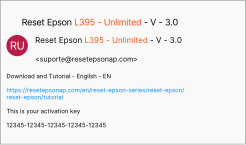
This comprehensive email confirmation includes your personalized, non-transferable software activation key, the official encrypted download link for the authorized reset utility, and complete access to the step-by-step video tutorial library.
Simply follow the clearly documented sequential instructions presented in the training materials to finalize the reset procedure with absolute safety and guaranteed effectiveness.
Epson WorkForce Pro WF-3723 Reset: Unlicensed freeware versus professionally licensed software solution
Why does the licensed, professionally supported reset solution represent the clearly superior investment?
Documented risks and operational failures associated with unauthorized free reset utilities:
• Critically elevated risk of undetectable virus payloads, trojan horse infections, and sophisticated malware infiltration.
• Frequent, unpredictable software failures during the most sensitive final phase of the counter reset sequence.
• Incomplete reset operations resulting in partially cleared counters and recurrent error states requiring repeated intervention.
• Substantial risk of permanent, non-reversible corruption to the printer's protected firmware memory space.
Comprehensive advantages and performance guarantees of the licensed Epson WorkForce Pro WF-3723 Reset solution:
• 100% verified, digitally signed, and malware-free software distributed through secure authenticated channels
• Rapid, intuitive installation process compatible with all currently supported Windows operating system versions
• Perpetual lifetime license valid for unlimited reset operations on your specific WF-3723 printer
• Licensed deployment rights across multiple personal computers without any recurring subscription fees
• Direct access to factory-trained technical support engineers with real-time remote assistance capabilities
• Certified safe reset methodology that preserves original firmware integrity without unauthorized modification